> ## Documentation Index
> Fetch the complete documentation index at: https://alphacastio.mintlify.site/llms.txt
> Use this file to discover all available pages before exploring further.
# Data Snapshot
> Capture the pipeline output as a downloadable, embeddable snapshot in CSV, XLSX or TSV.
**Data Snapshot** is one of the pipeline's output steps. It takes a snapshot of the data as it stands at that point in the pipeline.
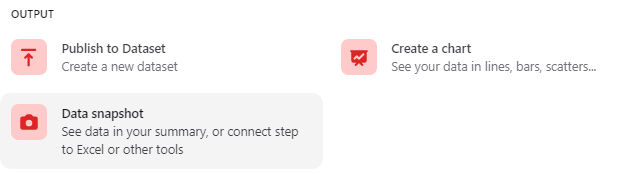 The step provides a download link, a code snippet for embedding the data on a website or in an insight, and optionally an excerpt of the pipeline result. Links are available in CSV, XLSX and TSV.
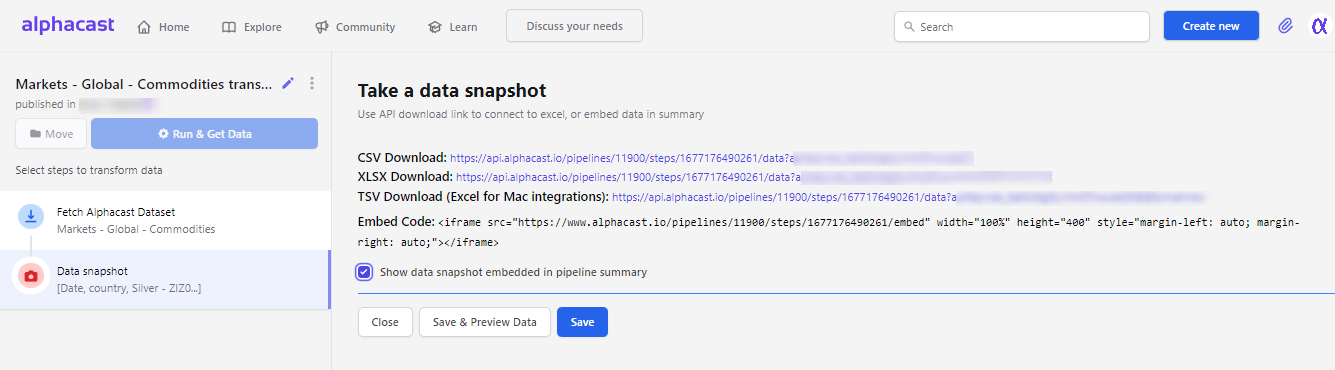 A snapshot is a point-in-time capture. If you need output that stays current as sources update, use [Publish dataset](/steps/publish) instead.
## Next steps
Produce an auto-updating dataset rather than a snapshot.
Visualize the same output.
A snapshot is a point-in-time capture. If you need output that stays current as sources update, use [Publish dataset](/steps/publish) instead.
## Next steps
Produce an auto-updating dataset rather than a snapshot.
Visualize the same output.