> ## Documentation Index
> Fetch the complete documentation index at: https://alphacastio.mintlify.site/llms.txt
> Use this file to discover all available pages before exploring further.
# Filter Entity
> Keep only the entities you want to work with — countries, categories or tickers — and drop the rest.
The **Filter Entity** step narrows a dataset down to specific entity values, so the following steps only process the rows you care about.
In this example, you pick the category you want to work with:
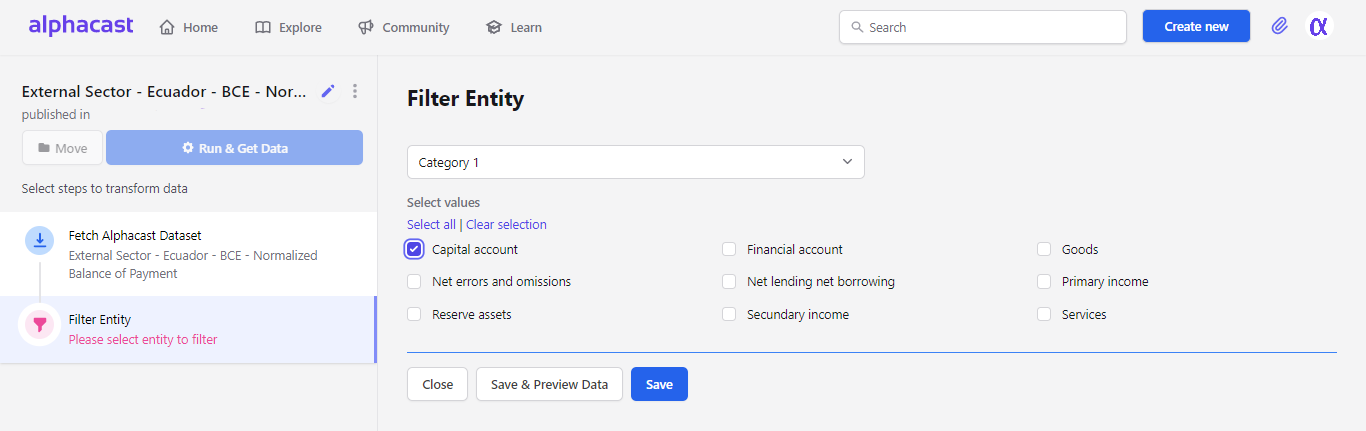 From this point on the pipeline carries only "Capital Accounts" — every other entity is dropped.
Click **Save** and the pipeline reruns with the filter applied.
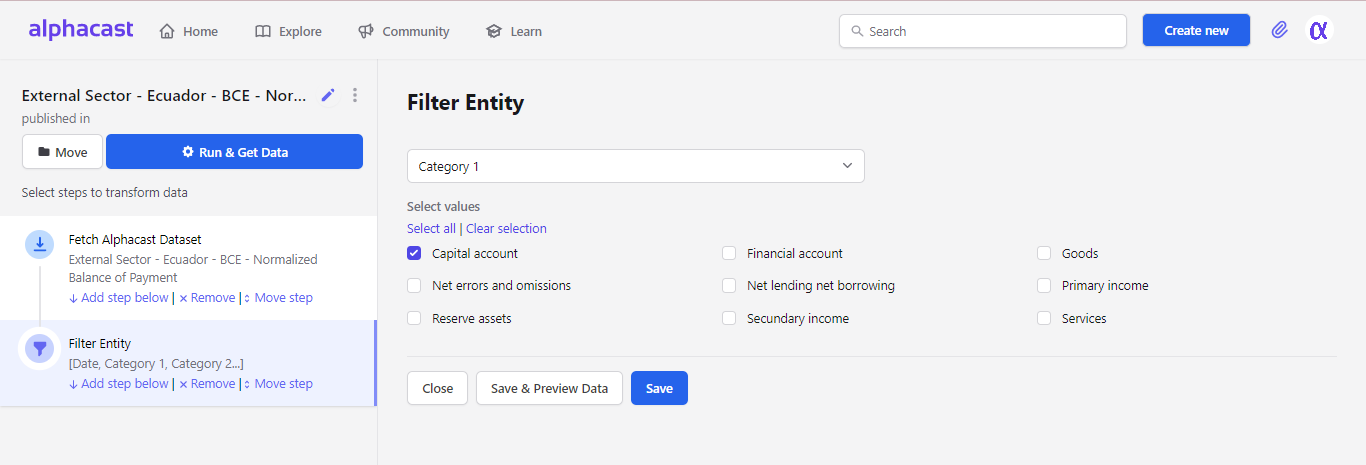
From this point on the pipeline carries only "Capital Accounts" — every other entity is dropped.
Click **Save** and the pipeline reruns with the filter applied.
 Entity columns are the columns that uniquely identify a row. See [Regroup entities](/steps/regroup-entities) if you need to collapse an entity rather than filter it.
## Next steps
Filter by value instead of by entity.
Restrict the pipeline to a date range.
Entity columns are the columns that uniquely identify a row. See [Regroup entities](/steps/regroup-entities) if you need to collapse an entity rather than filter it.
## Next steps
Filter by value instead of by entity.
Restrict the pipeline to a date range.