> ## Documentation Index
> Fetch the complete documentation index at: https://alphacastio.mintlify.site/llms.txt
> Use this file to discover all available pages before exploring further.
# Melt (Wide to Long)
> Convert a wide-format dataset to long format, collapsing value columns into rows under a new variable column.
**Melt** goes from wide to long: several value columns collapse into two — one holding the former column names, one holding the values. It is the inverse of [Unstack (Long to Wide)](/steps/unstack-dataset), which is where the shared long-versus-wide diagram lives.
## Configuration
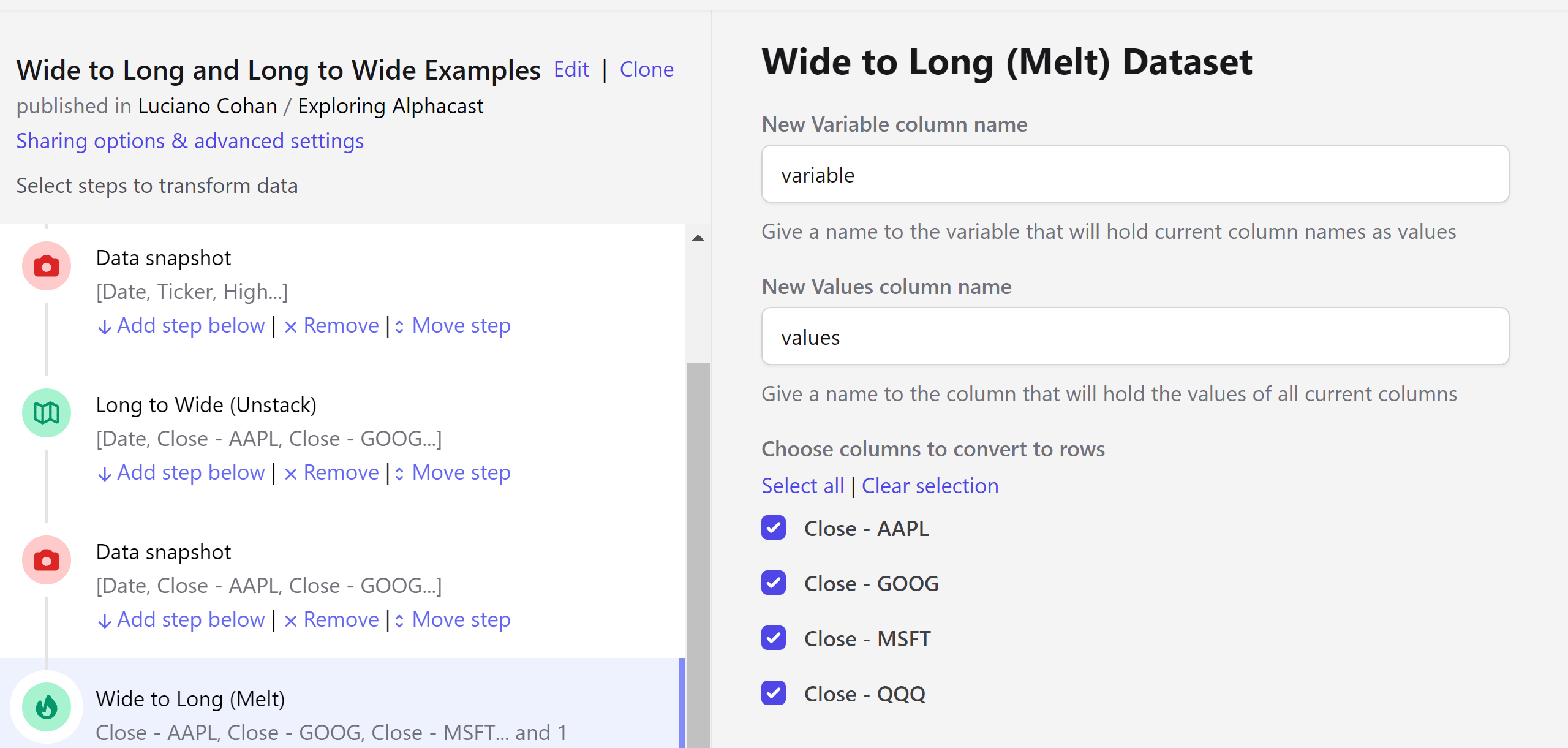
Define:
* The name of the column that will host the former column names — the tickers, in the example below.
* The name of the column that will hold the values.
* Which columns should be melted. Uncheck the ones that should stay as columns.
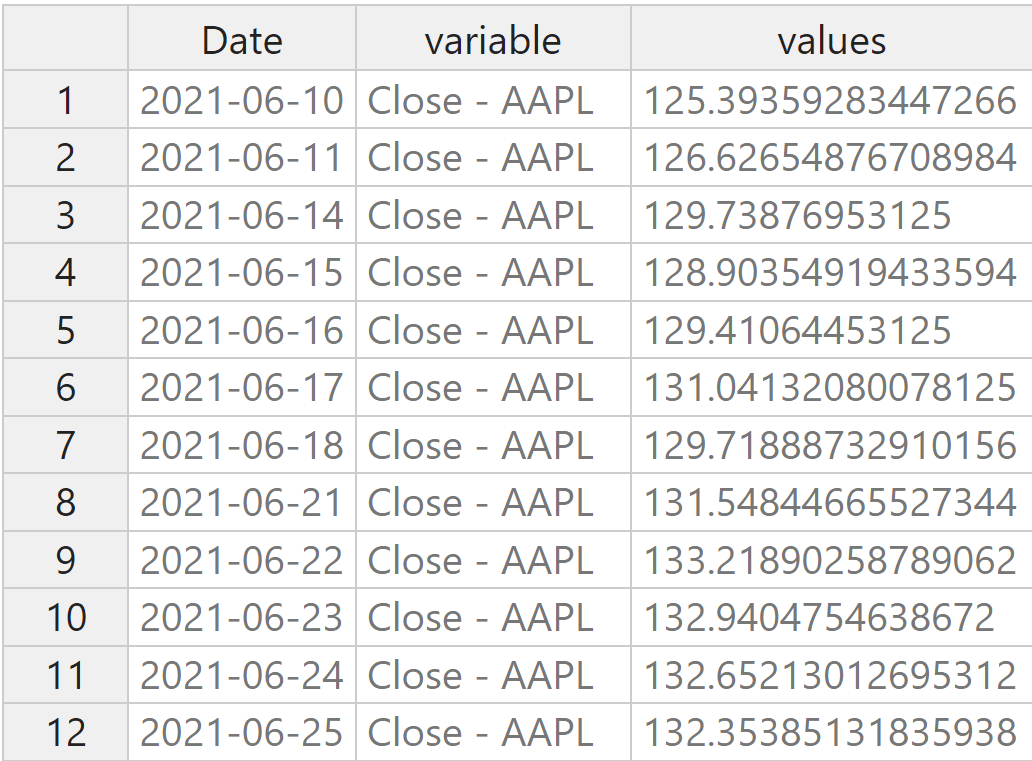
 The result carries one row per combination of the retained entities and the melted variable:
 Long format is usually what you want before [Regroup entities](/steps/regroup-entities) or before publishing a dataset that other people will filter by entity.
## Next steps
The inverse operation, with the full worked example.
Aggregate once the data is in long format.
Long format is usually what you want before [Regroup entities](/steps/regroup-entities) or before publishing a dataset that other people will filter by entity.
## Next steps
The inverse operation, with the full worked example.
Aggregate once the data is in long format.