> ## Documentation Index
> Fetch the complete documentation index at: https://alphacastio.mintlify.site/llms.txt
> Use this file to discover all available pages before exploring further.
# Publish to Dataset
> Write pipeline output to a dataset that updates automatically whenever the pipeline runs.
**Publish to Dataset** is one of the pipeline's output steps. It creates a dataset that is automatically kept up to date by the pipeline.
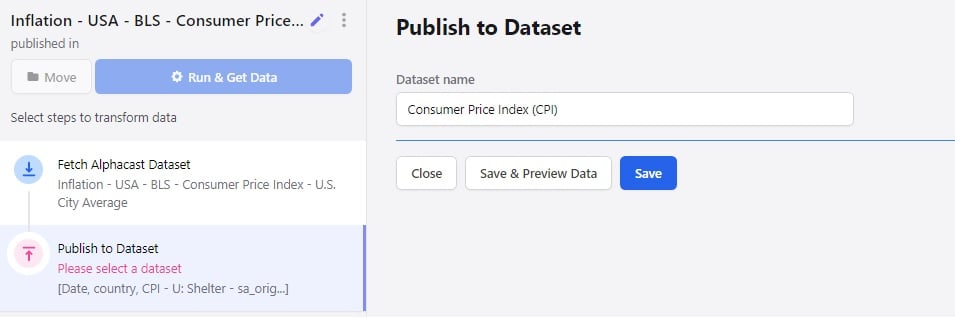
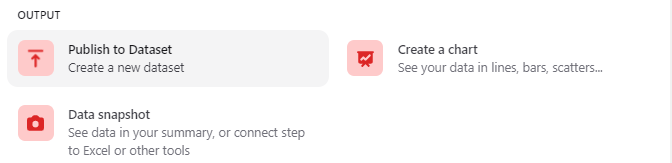 Once you have made every transformation you need, publish the result as a dataset. The step lets you choose the dataset name and the repository it is stored in.
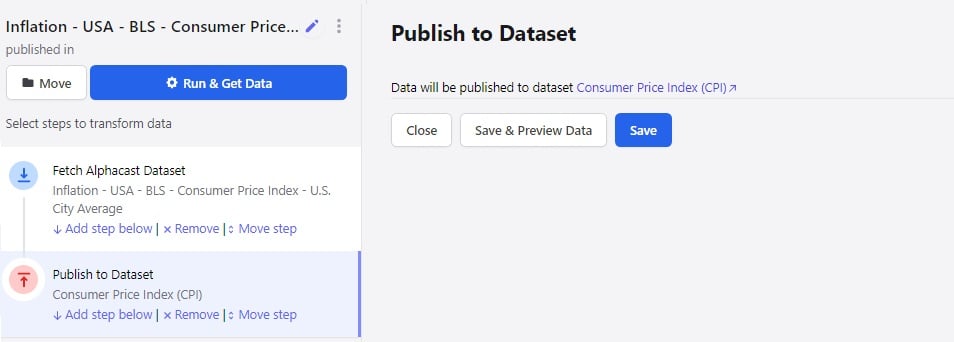
 After naming and saving, click the link to navigate to the new dataset.
 You need write access to the destination repository. See [Repositories](/concepts/repositories) for how permission levels work.
A published dataset is a first-class dataset: it can be queried through the [API](/api/datasets/data), read with the [Python SDK](/python-sdk/downloading), and fetched by other pipelines with [Fetch Dataset](/steps/fetch-dataset).
## Next steps
Chart the result instead of, or as well as, publishing it.
Produce a downloadable, embeddable snapshot.
You need write access to the destination repository. See [Repositories](/concepts/repositories) for how permission levels work.
A published dataset is a first-class dataset: it can be queried through the [API](/api/datasets/data), read with the [Python SDK](/python-sdk/downloading), and fetched by other pipelines with [Fetch Dataset](/steps/fetch-dataset).
## Next steps
Chart the result instead of, or as well as, publishing it.
Produce a downloadable, embeddable snapshot.