> ## Documentation Index
> Fetch the complete documentation index at: https://alphacastio.mintlify.site/llms.txt
> Use this file to discover all available pages before exploring further.
# Rename Columns
> Give columns new names, or leave them unchanged, before publishing or charting.
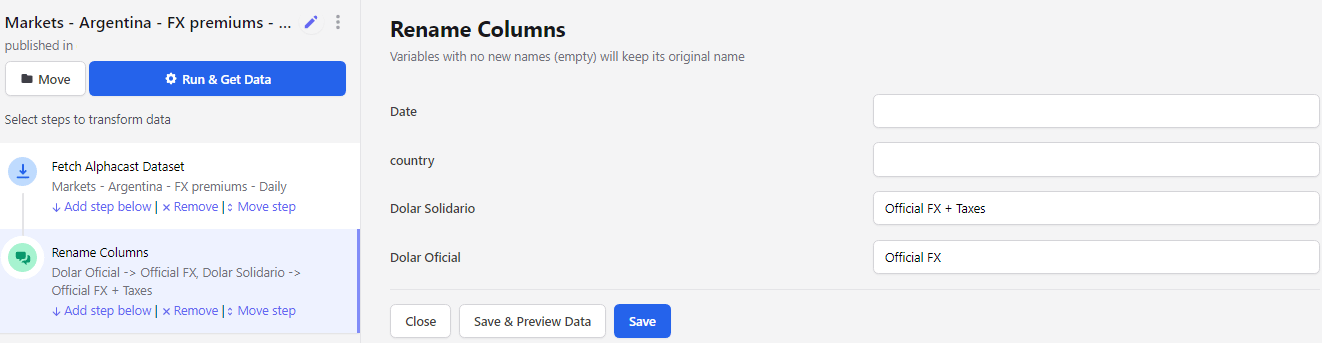
The **Rename Columns** step maps existing column names to new ones.
Fill in the blank space to the right of a column to set its new name. Leave the space blank to keep the original.
 Rename columns before a [Merge](/steps/merge) when both datasets carry a column with the same name — it makes the join result far easier to read.
## Next steps
Set the order columns appear in.
Combine this data with another dataset.
Rename columns before a [Merge](/steps/merge) when both datasets carry a column with the same name — it makes the join result far easier to read.
## Next steps
Set the order columns appear in.
Combine this data with another dataset.