> ## Documentation Index
> Fetch the complete documentation index at: https://alphacastio.mintlify.site/llms.txt
> Use this file to discover all available pages before exploring further.
# Select Series
> Reduce a dataset to specific series — a variable combined with one set of entity values — and flatten them into named columns.
The **Select Series** step reduces a dataset down to the individual series you want. A *series* here is one variable paired with one combination of entity values — "Argentina + Consumer Price Index", for example.
## How series are enumerated
The step scans the dataset and builds the list of available series by crossing every non-entity variable with every distinct combination of entity values. Combinations with no data for that variable are left out, so the picker only shows series that actually exist.
## Configuration
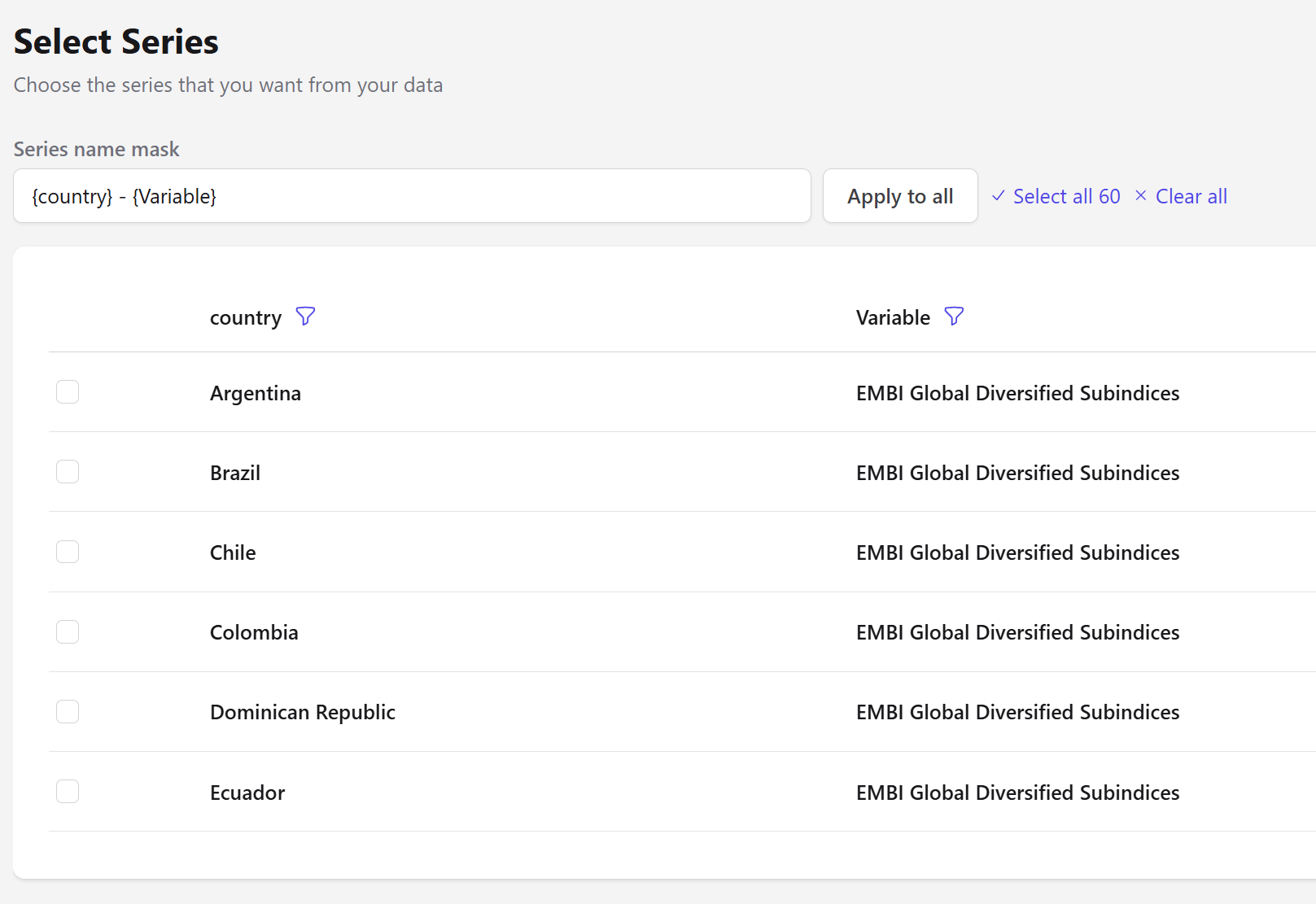 | Field | Description |
| ---------------- | ---------------------------------------------------------------------------------- |
| Series | The series to keep. Tick them individually, or use **Select all** / **Clear all**. |
| Series name mask | A template for naming the resulting columns. |
Each entity column and the variable become filterable columns in the picker, so you can narrow a long list before selecting.
## Naming with a mask
The **series name mask** names every resulting column from a template, using the entity and variable names as placeholders. The default is:
```
{country} - {Variable}
```
which produces `Argentina - EMBI Global Diversified Subindices`. Edit the mask and press **Apply to all** to rename every selected series at once.
Trim the mask to just `{country}` when every series is the same variable — the variable name in each column then becomes noise rather than information.
The output is flattened: entity columns disappear and each selected series becomes its own column keyed on date. This is close to what [Unstack](/steps/unstack-dataset) does, but driven by an explicit selection rather than by pivoting a whole column.
Leaving the selection empty passes the data through untouched, so you can add the step early and fill it in once you can see the available series.
## Next steps
Keep entity structure and filter by value instead.
Chart the selected series.
| Field | Description |
| ---------------- | ---------------------------------------------------------------------------------- |
| Series | The series to keep. Tick them individually, or use **Select all** / **Clear all**. |
| Series name mask | A template for naming the resulting columns. |
Each entity column and the variable become filterable columns in the picker, so you can narrow a long list before selecting.
## Naming with a mask
The **series name mask** names every resulting column from a template, using the entity and variable names as placeholders. The default is:
```
{country} - {Variable}
```
which produces `Argentina - EMBI Global Diversified Subindices`. Edit the mask and press **Apply to all** to rename every selected series at once.
Trim the mask to just `{country}` when every series is the same variable — the variable name in each column then becomes noise rather than information.
The output is flattened: entity columns disappear and each selected series becomes its own column keyed on date. This is close to what [Unstack](/steps/unstack-dataset) does, but driven by an explicit selection rather than by pivoting a whole column.
Leaving the selection empty passes the data through untouched, so you can add the step early and fill it in once you can see the available series.
## Next steps
Keep entity structure and filter by value instead.
Chart the selected series.