How it works
The step is split in two: the chat on the left, and the generated Code with a Data Preview tab on the right.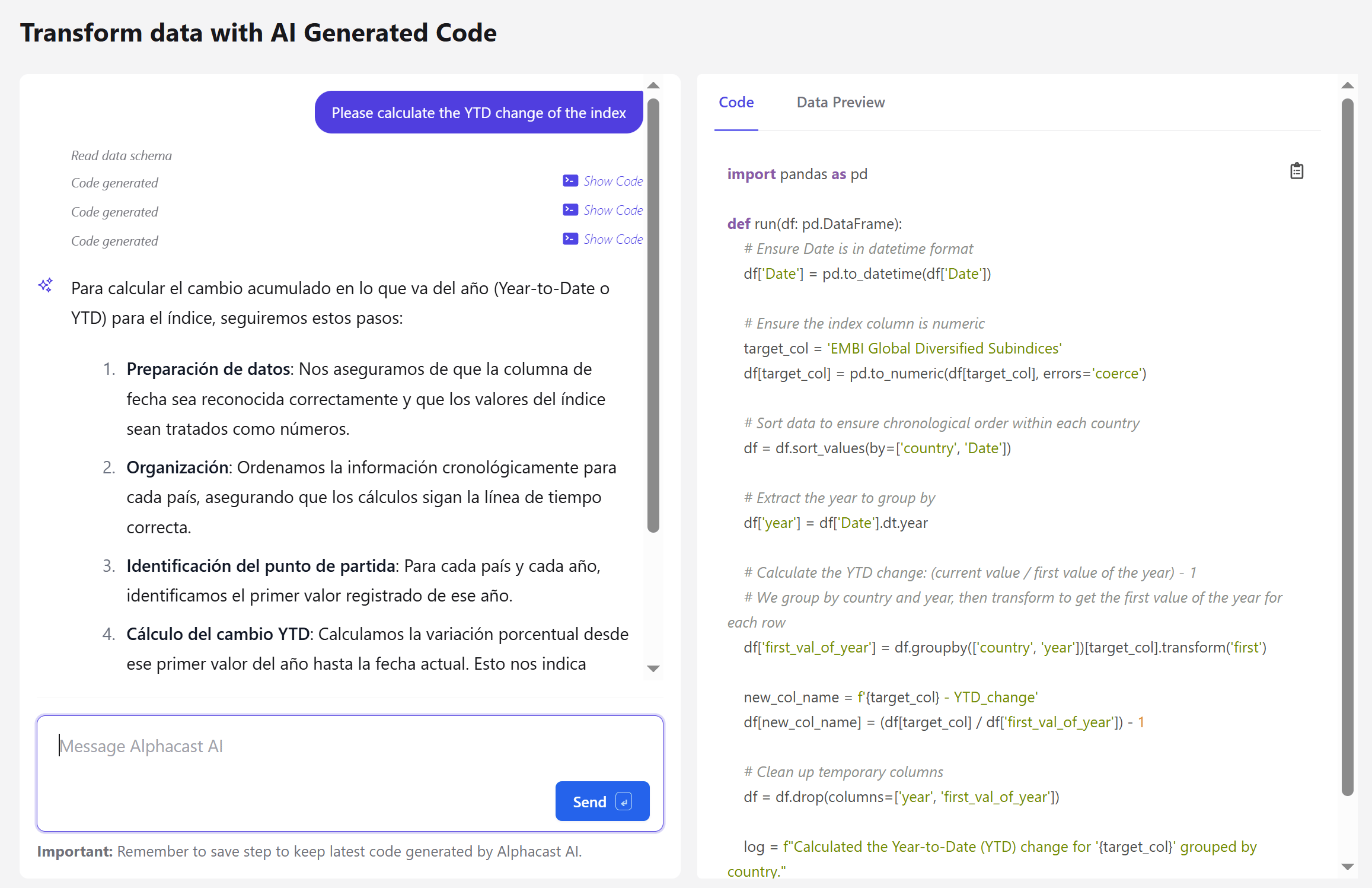
1
Describe the transformation
Write what you want in plain language — “calculate the YTD change of the index”. Alphacast reads the data schema first, then explains its plan and generates the code.
2
Review the generated code
The code is a
run(df) function operating on a pandas DataFrame, shown in full. It is stored in the step configuration — not a hidden black box. Use Data Preview to see the result on real data.3
Refine
Keep the conversation going to adjust the result. Each round generates new code, and earlier versions stay reachable through the Show Code links in the chat history.
4
Save the step
Until code has been generated, the step passes data through unchanged and reports that no code was provided. Adding the step is therefore always safe — it does nothing until you give it something to do.
What to know before using it
Next steps
Calculate variable
Write a formula yourself, with no code generation.
Summarize with AI
Generate a written summary of the data instead.