Absolute date range
Specify a start and end date by clicking the calendar. You can also click earliest available to pull the full history, and latest available to always track the most recent data point without editing the step again.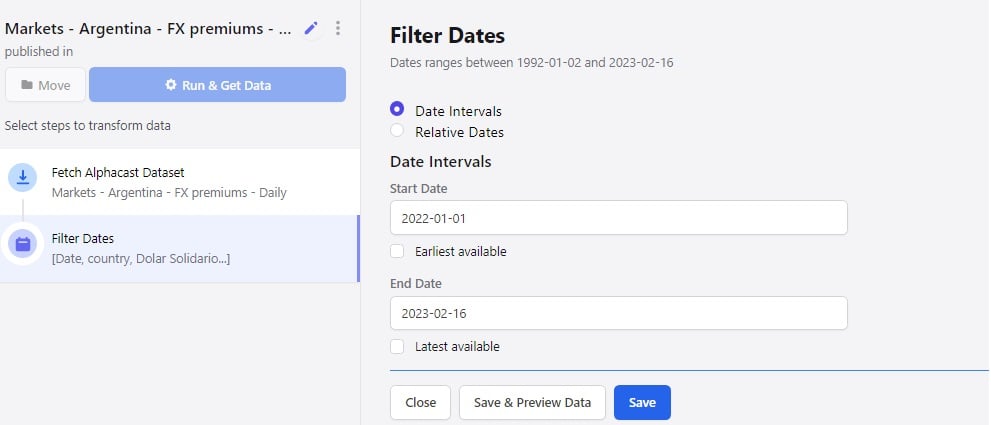
Relative dates
Click relative dates to filter against a window measured from the current date. Choose a number of years, quarters, months or days.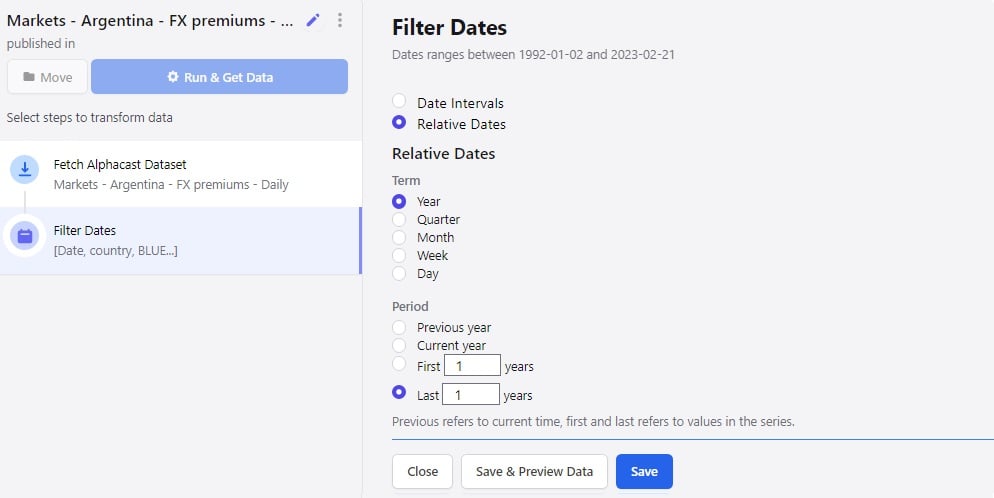
Next steps
Change frequency
Resample the series to a different time frequency.
Filter rows
Filter by value rather than by date.