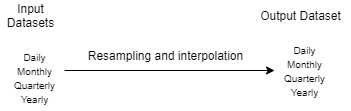
Every dataset has a frequency — daily, weekly, monthly, quarterly or yearly. The Change Frequency step converts between them and recalculates the values accordingly. Moving from a higher to a lower frequency requires an aggregation formula, such as average or end of period. Moving from a lower to a higher frequency requires an interpolation formula, such as linear interpolation or splines.
Diagram of resampling between time frequencies

How to resample

1

Create a pipeline and choose the data source

2

Add a Change Sample Frequency step

The system detects the input frequency automatically.
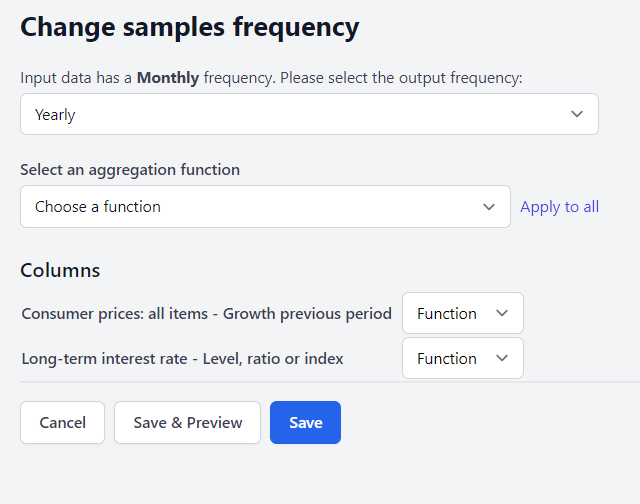
Change Sample Frequency step configuration
3

Select the output frequency

This determines whether the step interpolates or downscales.Going up in frequency (monthly to daily) offers 9 interpolation options: Repeat, Linear, Quadratic, Cubic, Polynomial order 3, Piecewise Polynomial, Spline, Krogh, and Fill with 0.Going down in frequency (monthly to quarterly) offers 6 aggregations: Average, Sum, Min, Max, Last and First.
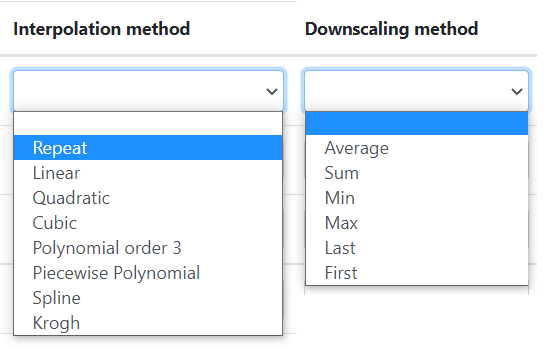
Available interpolation and aggregation methods
Interpolating to a higher frequency invents data points that were never observed. It is appropriate for aligning series before a join, but the interpolated values should not be treated as measurements.

Next steps

Merge branches

Join series once they share a frequency.

Apply transform

Frequency-aware transformations like year-over-year change.