Sooner or later you find the data you need, but not in the shape you need it — values that should be columns are rows, or the other way round. Transposing doesn’t fix it, because the entity columns have to be preserved. Unstack and Melt do.
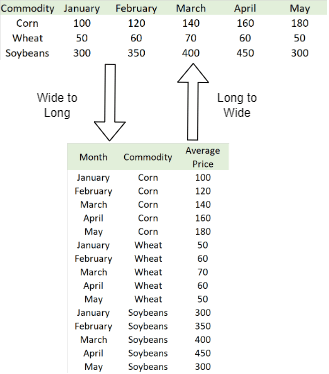
Diagram showing long format and wide format side by side
Unstack goes from long to wide: the values of an entity column become new columns.

Example

1

Load long-format data

Start with some Yahoo Finance data. The tickers (Apple, Microsoft, Google and so on) are values inside a single Ticker column. Suppose you need them side by side as columns, and only want the closing price rather than open-high-low-close.
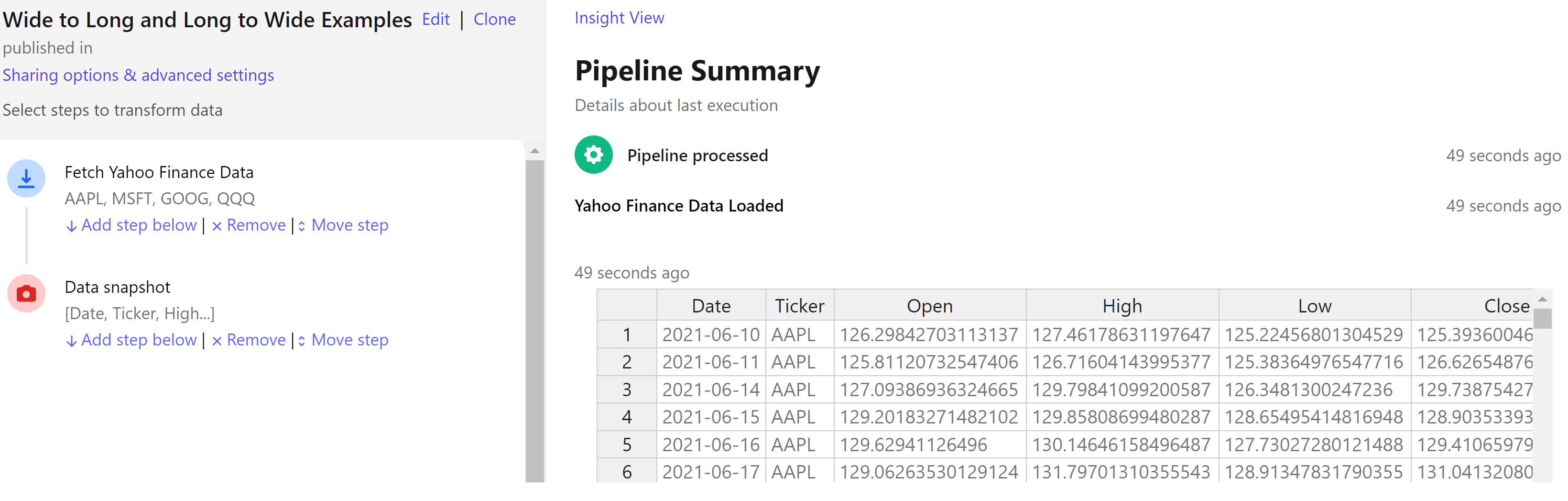
Yahoo Finance data in long format, tickers as row values
2

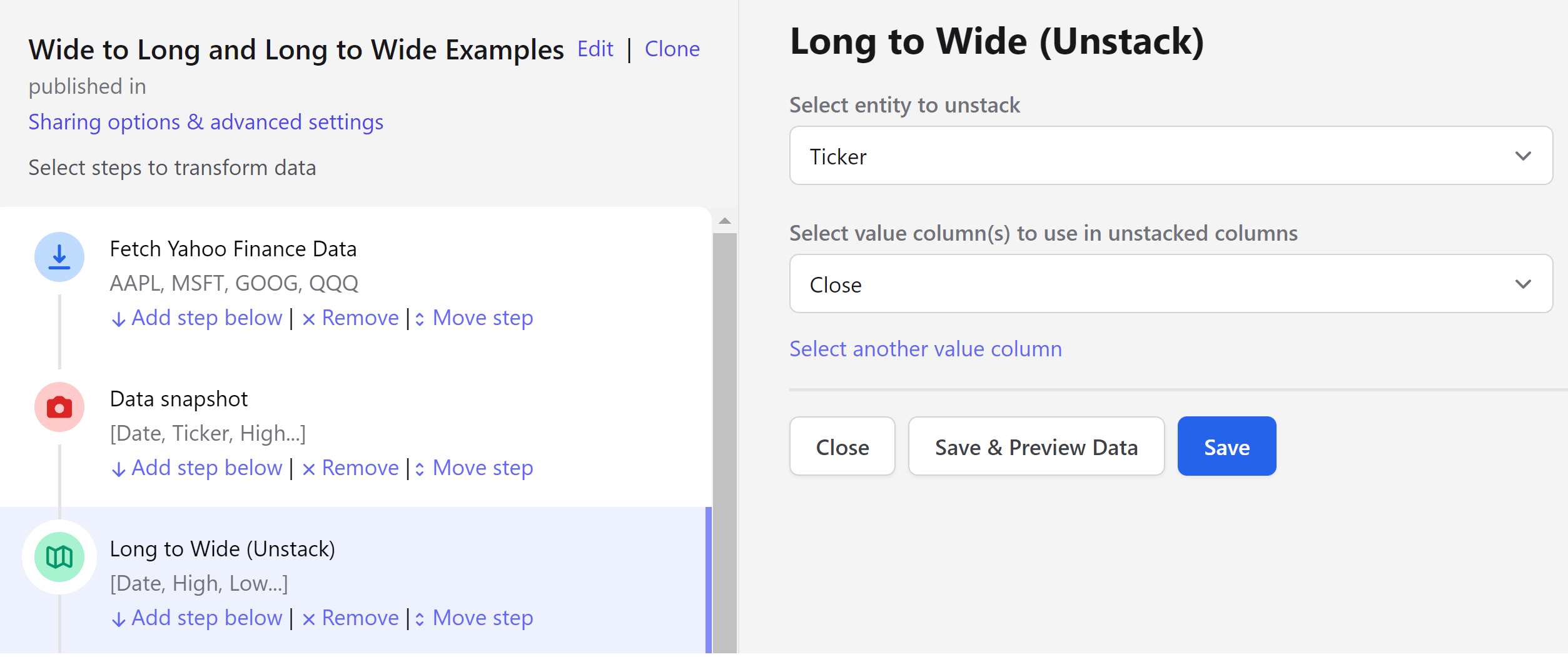
Add the Long to Wide (Unstack) step

Configuring the Long to Wide step
3

Review the result

Each ticker now has its own column.
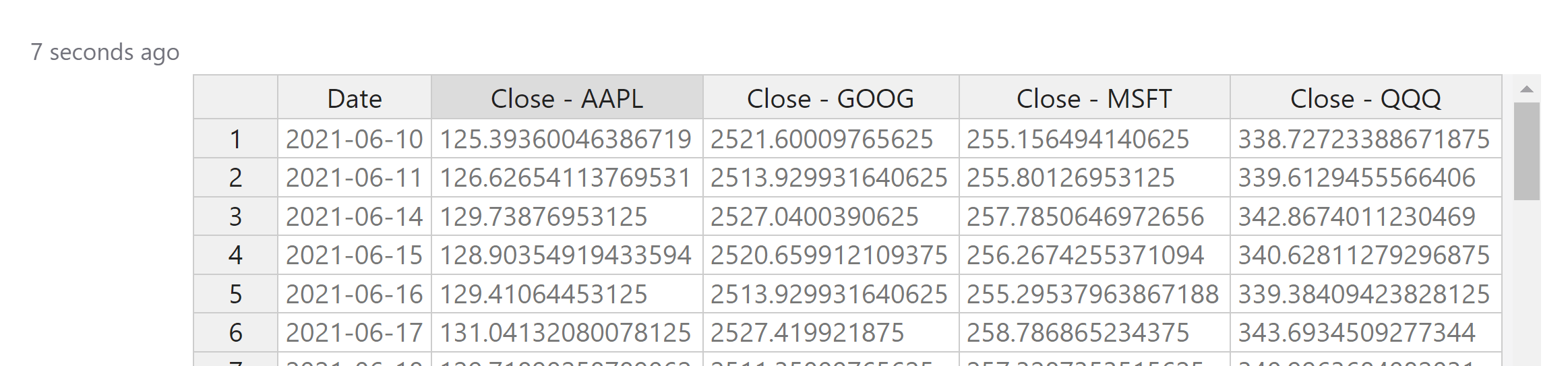
The resulting wide-format dataset
See the example pipeline for both directions in one place.

Reversing it

To go back the other way, use Melt (Wide to Long).

Next steps

Melt (Wide to Long)

The inverse operation.

Merge branches

Join the reshaped data with another dataset.