Seasonally adjust series with X-13ARIMA-SEATS, with control over model order, outliers, log transformation and forecast horizon.
The X13 ARIMA Seasonal Adjustment step removes seasonal variation using X-13ARIMA-SEATS, the procedure maintained by the US Census Bureau. Unlike the prebuilt Seasonally adjusted option in Apply Transform, this step exposes the model parameters and can also output the trend and irregular components.
Pick the columns to transform; everything else sits behind advanced options, with defaults that work for most series.
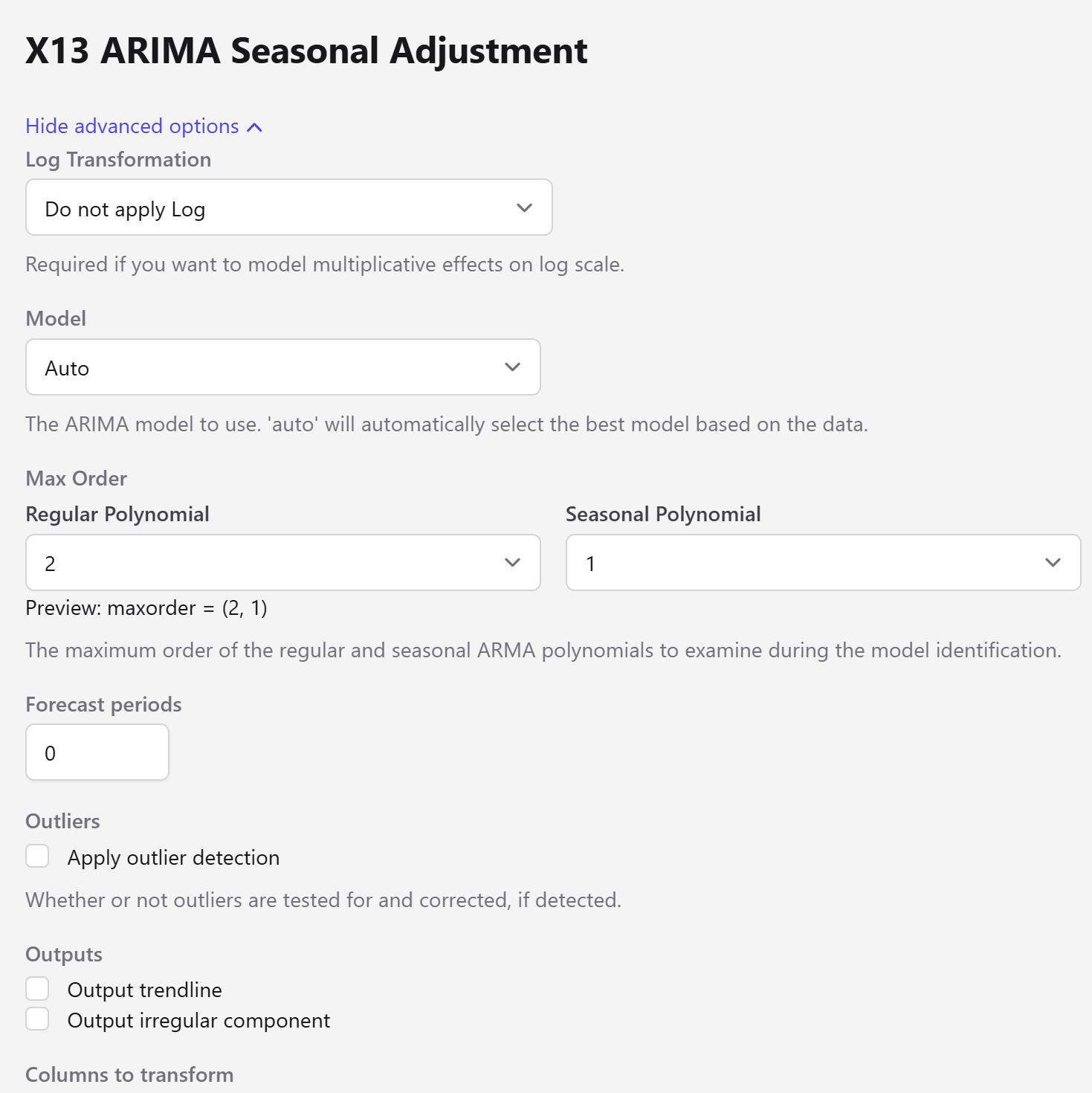
Field
Description
Columns to transform
The numeric columns to adjust.
Log Transformation
Whether to take logs. Required if you want to model multiplicative effects on a log scale.
Model
Auto lets X-13 identify the best model from the data. Otherwise give a 6-digit code — 011011 means an ARIMA (0 1 1)(0 1 1) specification, regular orders first, seasonal orders second.
Max Order — Regular / Seasonal Polynomial
Bounds for automatic model identification, previewed as maxorder = (2, 1). Only used when the model is Auto.
Forecast periods
Number of forecast periods to produce. Defaults to 0.
Apply outlier detection
Whether outliers are tested for and corrected when detected.
Seasonal adjustment has real preconditions, and the step raises an error rather than returning a degraded result:
Minimum observations. A series needs more than 36 observations, or more than 12 for quarterly data.
No zero or negative values. Adjustment cannot be applied to series containing them.
One model per entity. Each entity is adjusted independently. If adjustment fails for any entity the step reports which ones and stops, so a partial result is never published silently.
Adjustment runs per entity group and in parallel across columns, so adjusting many series at once is not much slower than adjusting one.