How to use it
1
Load the financial data
Most metrics need open, close, high, low and volume variables to work properly. You can load these directly with Fetch Yahoo Finance.
2
Add the Technical Analysis step
Select the function group, the function, its parameters and an optional prefix, then press save. The new variables are added to the dataset.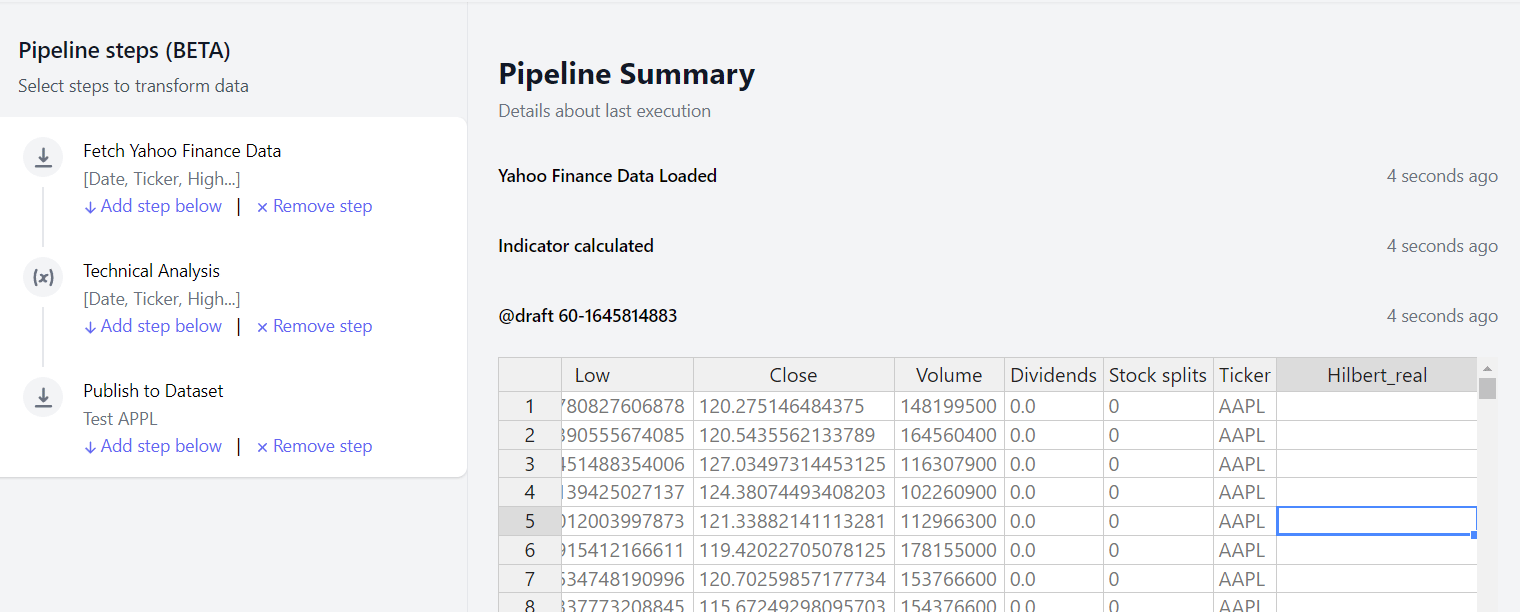
Function groups
Pick a group first, then a function within it. Each function exposes its own parameters, prefilled with TA-Lib defaults.
Each function’s output columns are named after the indicator and prefixed with whatever you enter in the prefix field, so you can run the same indicator more than once with different parameters.
Next steps
Portfolio statistics
Build tear sheets and rolling performance stats.
Fetch Yahoo Finance
Load the price data these metrics need.