Check country names against a canonical list and decide what happens to the ones that don’t match — fail, remove, fuzzy match or rename.
The Validate Countries step checks the values of a country column against a canonical country list and normalizes them to a standard name. It is what makes country-dependent transformations reliable: Apply Transform and Apply Country Transform can only find the right inflation, population or GDP reference series if the country names match.
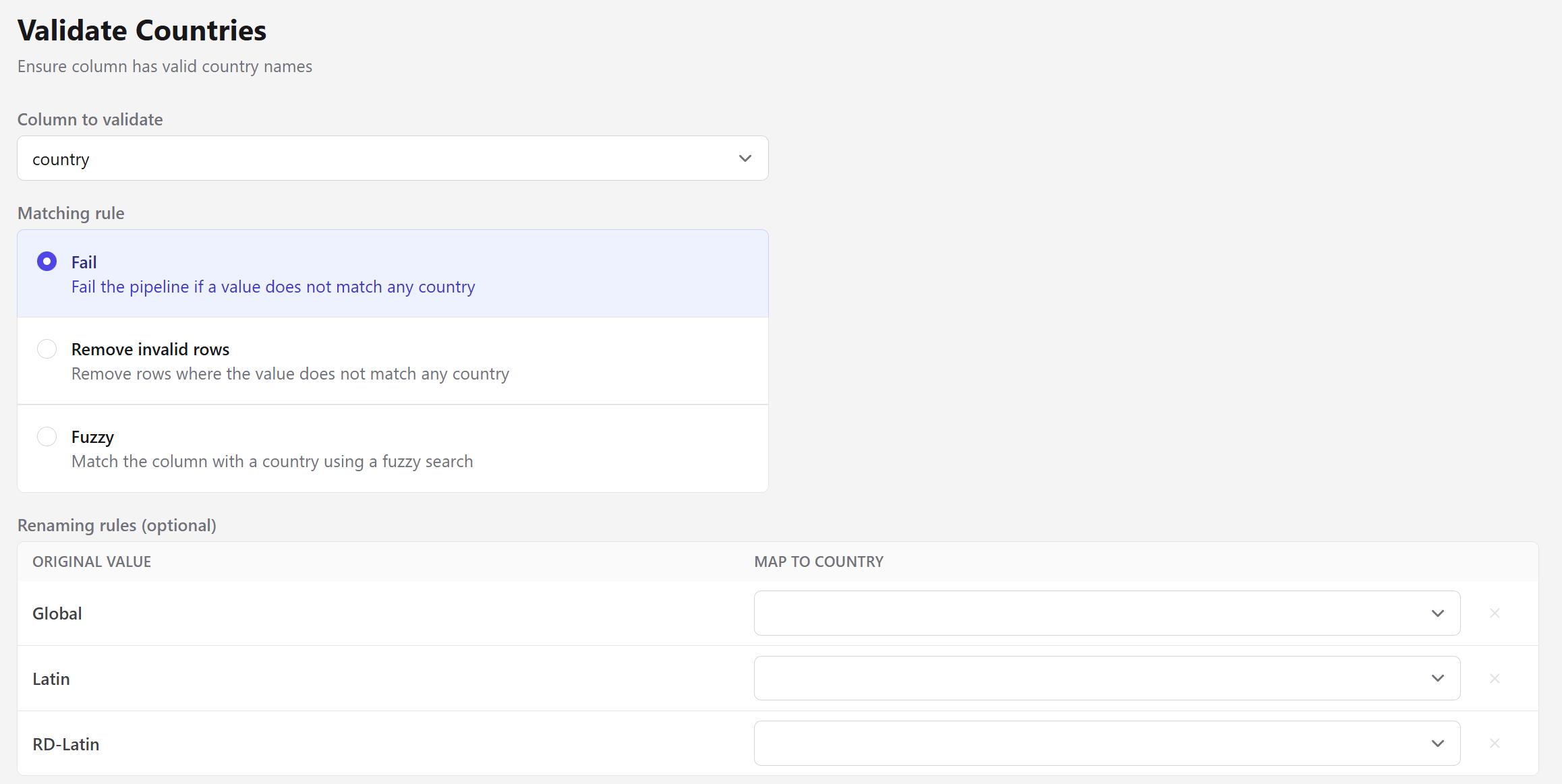
Fails the pipeline if a value does not match any country. The default, and the safest.
Remove invalid rows
Removes rows where the value does not match any country.
Fuzzy
Matches the value to a country using a fuzzy search.
The renaming table is prefilled with the values the step could not identify — Global, Latin and RD-Latin in the screenshot above — so you can map the ones that are real countries and decide what to do with the rest.
Fuzzy matching always picks some country — it takes the highest-scoring candidate with no minimum threshold. That makes it convenient for near-misses like Argentina or Brasil, and risky for values that aren’t countries at all. Prefer explicit renaming rules when you know what the odd values are.
Matching is accent- and case-insensitive, so méxico, Mexico and MEXICO all resolve to the same canonical name.
Aggregate labels like Global, Latin or a regional grouping are not countries and never will be. Leave them unmapped and use Remove invalid rows, or split them out with Filter Entity before validating.
The step also fails when two different input values resolve to the same country, since that would silently merge rows. It names both values so you can decide which is correct.